As described in Chapter 1, students will provide an example of a controlled message and an uncontrolled message from the same company, person, or organization. Any media can be used such as YouTube videos, social media screenshots, advertisements, news stories from print or online, statements issued to the press, etc.
Set it up as shown below on a horizontal screen with “controlled” on the left and “uncontrolled” on the right. Be prepared to briefly discuss how you might get the “uncontrolled” message under control.
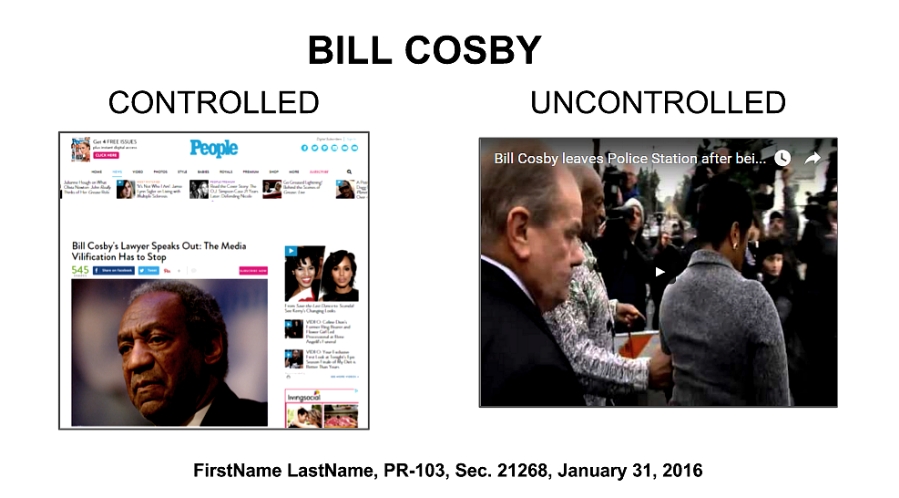
The page above was created in Google Docs using “Slides.” When you open Google Docs, tap the three bar menu on the upper left and go to “Slides.” Then create a blank slide. You can remove the pre-set text boxes by right clicking on them.
The People Magazine graphic is a simple screenshot which is hyperlinked to the URL of the news story. The video is embedded using the “Insert” menu and then “Video.” A wizard will then walk you through inserting content from YouTube.
The shared (public) link for the above sample is below. Tap “Present” on the upper right to view the slide. https://docs.google.com/presentation/d/1v4caYFWtwADy6hkmZs9oKaRVWq3rzH0UWr7lkP_IOTQ/edit#slide=id.p
This same concept can be done in Microsoft Word and PowerPoint. Both have the capacity to embed a video from the “Insert” menu, as well as hyperlink from a graphic image.